As an Amazon Associate, we earn from qualifying purchases. Some links on this site are affiliate links at no extra cost to you. Our recommendations are based on thorough research and editorial judgment.


What to Do When Your Handheld Vacuum Won’t Hold a Charge

When a handheld vacuum won’t hold a charge, users should first check the battery, charging dock, and adapter for issues. Common causes include dirty contacts, battery degradation, and overheating. Users should use factory-provided cables to guarantee peak performance. It is also advisable to inspect the charging dock’s power connection and indicator lights. Regular maintenance, such as cleaning filters and battery contacts, can improve performance. Further insights on troubleshooting and maintenance can enhance vacuum longevity.
Key Takeaways
- Inspect and clean the vacuum’s battery contacts and charging dock for dirt or corrosion to ensure proper connection.
- Use the factory-provided USB A to USB C cable to guarantee optimal charging performance.
- Verify that the vacuum’s battery holds a charge, as lithium-ion batteries naturally degrade over time and may need replacement.
- Regularly empty the dirt cup and clean filters to enhance airflow and prevent overheating, which can impact battery life.
- Store the vacuum in a cool, dry location, avoiding overcharging to extend battery longevity and performance.
Identifying Charging Issues
How can users effectively identify charging issues with their handheld vacuums? First, they should examine the charging dock for dirt or corrosion on the contacts, which can hinder electrical connections. Users must guarantee that the vacuum cleaner’s battery holds a charge, as lithium-ion batteries degrade over time and may require replacement. It is also vital to utilize the factory-provided USB A to USB C cables for charging; using alternative cables can prevent proper functionality. Observing the charging indicators is important; for instance, if a solid blue light appears yet the vacuum stops working immediately, deeper issues could exist. These steps can help users diagnose potential charging problems effectively before seeking further assistance or replacement. Additionally, battery life and charging considerations are crucial for maintaining optimal performance, ensuring that the vacuum is ready for use when needed.
Common Causes of Battery Failure

Battery failure in handheld vacuums can arise from several common factors that affect performance and longevity. One primary issue is the natural degradation of lithium-ion batteries, which results in diminished capacity and shorter run times over time. Moreover, corrosion or dirt on battery contacts can hinder the charging process, preventing the cordless vacuum from receiving adequate power. Overheating is another concern, often caused by blocked vents or accumulated debris, which can damage both the battery and internal circuitry. Frequent overcharging also fast-tracks degradation, while inadequate storage conditions can exacerbate this issue. Additionally, the misalignment of incompatible charging cables or faulty adapters can prevent proper charging in a vacuum cleaner, ultimately rendering the battery effectively useless. Some cutting-edge vacuums feature a multi-efficiency filtration system that not only aids in capturing allergens but also helps in maintaining optimal airflow, which can indirectly extend the battery life.
Essential Troubleshooting Steps

To address charging issues with handheld vacuums effectively, a systematic approach is necessary. First, users should verify the charging dock is plugged into a working outlet, confirming that any indicator lights are illuminated. Next, inspecting the battery contacts on both the vacuum and dock for dirt or corrosion is important; cleaning them with a cotton swab dipped in alcohol often resolves common problems. Employing troubleshooting techniques, testing the vacuum with a known working charger can help identify issues with the original adapter. Additionally, examining the vacuum for blockages and verifying unobstructed vents promotes ideal airflow. If these steps yield no results, expert advice suggests contacting customer support or evaluating the battery’s health for potential replacement needs, as indicated by user experiences. For optimal battery choices, consider those with higher mAh ratings for extended usage and rapid charging capabilities to minimize downtime.
Recommended Products

[Get Up to a 30% Tax Credit] You may be eligible for the Residential Clean Energy Credit on qualified solar electric property costs. Check with your utility provider to confirm your eligibility and understand the requirements for the program.

Unbeatable 12,800Pa Suction Power - Experience a new level of clean with the DEEBOT X5 PRO OMNI. It boasts a wind tunnel and suction power up to 12,800Pa , driven by advanced motor and airflow technology, makes cleaning carpets effortless. Enjoy spotless floors throughout your home, without the hassle.

Dyson power in a larger format. For large-home deep cleans without the cord.
Assessing the Charging Dock and Adapter
Evaluating the charging dock and adapter is vital when resolving charging issues with handheld vacuums. Users should verify power outlet functionality by connecting the dock to a functioning electrical outlet. Observing the charging dock for illuminated lights can reveal its operational status; a lack of lights might indicate a malfunction needing professional repair. Additionally, conducting an adapter compatibility check is important, as using an incompatible adapter could result in charging failures. Regular maintenance such as cleaning filters and emptying dirt cups can improve the overall efficiency of handheld vacuums, preventing potential issues from arising. For effective charging dock maintenance, it is advisable to keep the dock clean and free from dirt or obstructions, which may hinder proper connections. Finally, testing the adapter on a verified outlet can confirm its functionality if the lights illuminate, highlighting the importance of checking both components.
Recommended Products

【300AW Powerful Suction for Deep Cleaning】Powered by an upgraded high-speed brushless motor, this cordless vacuum cleaner delivers up to 300AW true suction power for deep cleaning throughout your home. Easily remove dust, crumbs, fine debris, pet hair, and embedded dirt from carpet, hardwood floors, tile floors, laminate flooring, area rugs, and low-pile carpets. Designed for powerful pickup performance with strong airflow and consistent suction from start to finish.

【Powerful 55Kpa Suction+70-Min Runtime】Unleash 55Kpa suction and up to 70 minutes of runtime for whole-home deep cleaning.This cordless vacuum cleaner handles carpets, hard floors,and pet hair without fading power or frequent charging

[55KPa Suction & Hurricane Mode]: Powered by a market-leading 650W motor, this cordless vacuum delivers powerful suction up to 55KPa. With 3 adjustable power modes, it easily handles daily dust, large debris, and pet hair. For the toughest challenges, the innovative pull ring design lets you instantly activate the 4th Hurricane Mode, with a suction power of up to 60Kpa to tackle deep-seated carpet grime and stubborn pet hair with ease.
Understanding Battery Lifespan
Handheld vacuums typically utilize lithium-ion batteries, which have an average lifespan ranging from 2 to 5 years, influenced by factors such as usage patterns and maintenance practices. The battery chemistry of lithium-ion batteries allows for efficient energy use, but the capacity may decrease over time, leading to shorter run times. Most cordless vacuum batteries are rated between 10.8V to 18V; performance noticeably degrades once capacity drops below 20%. Regular maintenance techniques, such as cleaning connectors and avoiding extreme temperatures, can help prolong battery lifespan. Signs of degradation include swelling, reduced suction power, and an inability to hold a charge after a complete cycle, indicating the need for assessment or battery replacement to guarantee peak performance. When considering battery life, vacuums with warranties between 12 months to 2 years and lifetime technical support can provide peace of mind for troubleshooting and maintenance.
Cleaning and Maintenance Recommendations
Maintaining a handheld vacuum requires routine attention to guarantee peak performance and longevity. Regularly employing effective filter cleaning techniques allows users to prevent airflow blockages that negatively impact battery performance. It is vital to inspect and clean battery contacts to remove dirt or corrosion, using a cotton swab and alcohol for best charging functionality. Additionally, adhering to storage environment tips is essential; keeping the vacuum in a cooler, dry place helps mitigate overheating, which can damage the battery. Users should avoid overcharging by unplugging the vacuum once it reaches a full charge. Scheduling periodic maintenance checks for filters and battery connections guarantees efficiency and early detection of potential issues, contributing to the vacuum’s overall longevity and reliability. Opting for eco-friendly options when available can enhance sustainability and reduce environmental impact.
Exploring Replacement Options
Selecting a suitable replacement for a handheld vacuum that struggles to hold a charge involves thorough consideration of various factors. Replacement model evaluation should include advancements in battery technology, focusing on lithium-ion batteries that offer better performance and longer lifespans than older models. Additionally, potential buyers should check warranty considerations, as many replacements provide only a short warranty period, often around 30 days. It is essential to assess the availability and cost of replacement parts, such as batteries and charging docks, to guarantee a cost-effective investment. Exploring customer support options from reputable brands can also be beneficial, as efficient assistance may help address concerns related to defective units and provide guidance during the shift to a new vacuum. When selecting a replacement, buyers should also consider suction power and cleaning performance to ensure effective cleaning on rugs and other surfaces.
Recommended Products

[High Capacity & Long Lifespan] The powerful portable power station features a high capacity of 3840Wh, expandable up to 11520Wh, ensuring you have plenty of energy to power your devices in any situation. Our robust EV-Grade Lithium Iron Phosphate (LiFePO₄) batteries deliver over 4000 cycles and a lifespan of up to 10 years, ensuring long-term reliability.

Control in Your Hands: Hand-held remote uses LiFi technology to communicate with the cleaner under water allowing you to call the cleaner to the waterline for easy, lightweight removal with quick water release.
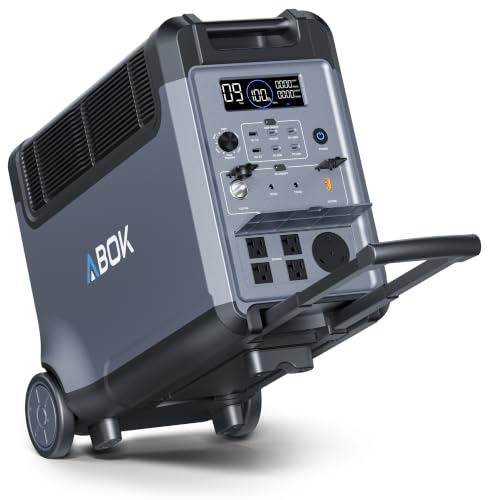
[Get Up to a 30% Tax Credit] You may be eligible for the Residential Clean Energy Credit on qualified solar electric property costs. Check with your utility provider to confirm your eligibility and understand the requirements for the program.
Community Experiences and Insights
How do community experiences shape perceptions of handheld vacuum reliability? User feedback reveals a consistent struggle with charging issues, greatly impacting overall product reliability. Many users report frustrations, often stemming from the use of third-party cables, which they find fail to adequately charge their devices. Additionally, discussions highlight multiple users experiencing failures with replacement units within just 30 days of initial use. Concerns emerge about the long-term durability of lithium-ion batteries, especially after periods of storage. The sentiment frequently reflects dissatisfaction with customer support, leaving many consumers to explore e-recycling options for defective products. High-end vacuum models often provide extended warranty coverage, offering peace of mind and support options that address such charging and durability concerns. Such shared insights not only illuminate common problems but also serve as valuable user recommendations for potential buyers and current users alike.
When to Seek Professional Assistance
Experiencing ongoing charging issues with a handheld vacuum can lead many users to contemplate when professional assistance is necessary. If battery failure indicators persist even after troubleshooting efforts, it is advisable to contact professionals for evaluation. Symptoms such as a malfunctioning Battery Management System may signal that a replacement is needed. Users should consider professional repair services, especially if multiple charging setups yield no results, as this can save time and frustration, particularly under vacuum warranty coverage. Additionally, visible physical damage to the vacuum or its charging connections warrants immediate expert help to prevent further complications. It’s also important to consider that advanced navigation technology in newer vacuum models may require specialized expertise for repairs. For vacuums older than 5–10 years with continuous charging failures, consulting a technician about battery replacement options is also recommended.
Enhancing Your Vacuum’s Performance
Maintaining ideal performance in a handheld vacuum requires regular attention to several key components. Regularly cleaning the dust filters can enhance airflow, preventing overheating while boosting cleaning efficiency. Users should inspect and clean battery contacts to eliminate dirt and corrosion, thereby improving electrical connection. Storing the vacuum in a cool, dry location extends battery life and longevity of performance, while avoiding overcharging can further protect the battery. Periodically checking for blockages in the nozzle and brush roll guarantees sustained suction power and overall effectiveness. Models equipped with HEPA filters capture allergens and enhance indoor air quality for allergy sufferers. Applying these maintenance hacks serves as essential performance upgrades, allowing users to maintain a high-quality handheld vacuum that consistently meets cleaning needs without compromising efficiency or functionality.
Recommended Products

POWERFUL VACUUM: The METROVAC DataVac Pro Series is designed for maximum suction power to clean up every bit of dust, dirt, hair, debris, and paper shreds, ensuring a thorough cleaning experience.

2024 Upgrade Supercharged Suction: Step up your cleaning game with the KANPETS handheld vacuum, featuring a state-of-the-art cyclonic filtration system that offers twice the cleaning performance of other leading brands. Perfect for tackling tough messes and debris in every nook and cranny.

Up to 40 minutes run time when using a non-motorized tool.
Frequently Asked Questions
Why Won’t My Dustbuster Hold a Charge?
The Dustbuster may not hold a charge due to battery degradation, dirty contacts, or using incompatible charging cables. Following battery maintenance tips from a troubleshooting guide can help identify and resolve these common charging issues.
How to Fix Cordless Vacuum Not Charging?
To fix a cordless vacuum not charging, one must begin diagnosing issues like battery maintenance, ensuring proper connections and cleaning contacts. Additionally, examining for blockages may enhance performance, providing alternative cleaning solutions while troubleshooting.
How Long Does the Battery Last on a Handheld Vacuum?
The battery on a handheld vacuum typically lasts 3 to 5 years. Battery performance tips, vacuum maintenance practices, and charging station efficiency can enhance longevity and guarantee peak operating times throughout the battery’s lifespan.
Can You Replace the Battery in a Cordless Vacuum?
Yes, battery replacement options exist for many cordless vvacuum models. Proper cordless vacuum maintenance and understanding battery lifespan factors, such as charging cycles, can inform users on when and how to replace their vacuum’s battery effectively.
Conclusion
To summarize, addressing a handheld vacuum that won’t hold a charge involves recognizing symptoms, examining the battery, and confirming the functionality of the charging dock. Users should consider the battery’s lifespan, explore replacement options, and assess their troubleshooting efforts. By following these structured steps, vacuums can be restored to peak performance, ensuring efficiency in tackling everyday cleaning tasks. Ultimately, a clear understanding of the vacuum’s components enables users to make informed decisions about maintenance and repair.


